

1
Material flow
See how product moves from receiving through storage, production, and shipping.
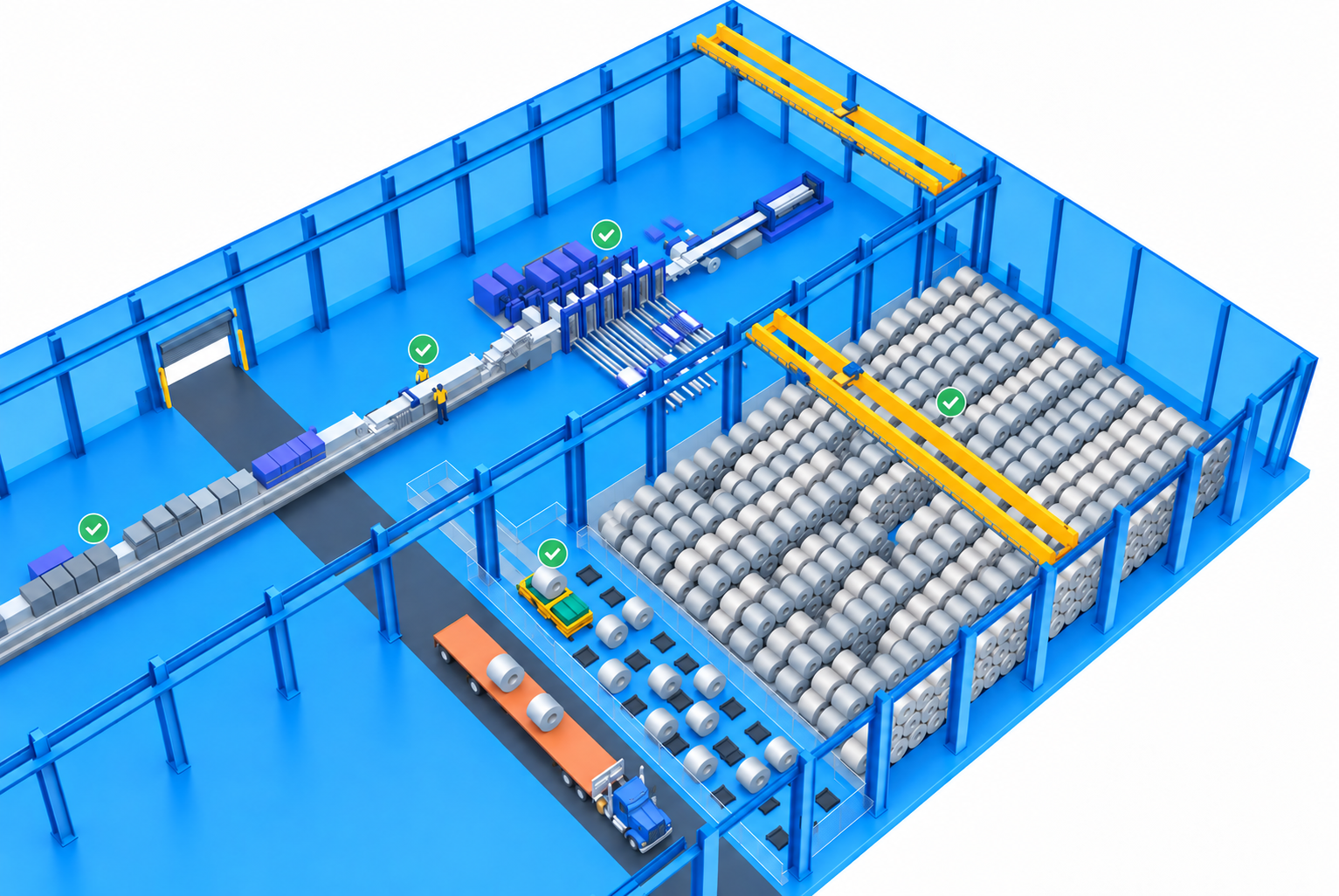
CareGo creates a virtual model of your facility, equipment, and workflows so you can explore material flow, test how systems work together, and identify bottlenecks before construction begins or changes are made on the floor.
Every facility decision has consequences. Once the building exists, those decisions become expensive to change.
Move a bay ten feet
Change a crane span
Add storage rows
Change staging
Move production
Increase inventory
A Digital Twin lets you test those decisions first.
This is not a prettier floor plan.
A rendering shows you what it looks like.

A digital twin helps you understand how it works.

The question is not “Does the facility fit?”
It is “Will the operation perform?”
See how product moves from receiving through storage, production, and shipping.

Understand how cranes travel, overlap, and interact.

Explore layout, density, accessibility, and retrieval paths.

See how material reaches production when it is needed.

Understand where material waits, for how long, and why.

Explore how inbound and outbound movements interact with the facility.

Test what the environment can support as demand, inventory, and operations change.
A worked example
Change the storage, layout, inventory, equipment, or material flow — and see the operational impact before making the decision.
Modeled variables
Simulation complete

Compare the tradeoffs.
A decision is not good because one number improves. It is good when the whole environment performs better.
Facility design
Here is the proposed environment.
Digital twin
Now let us see what happens when it runs.
Questions
Does the product flow? Does storage work?
Refine
Change it.
Test again
Only then.
Implement
Make it real.
The loop keeps asking
Reduce capital risk
Test important assumptions before committing money to construction or equipment.
Find constraints earlier
Identify bottlenecks while they are still design problems instead of operating problems.
Validate capacity
Challenge whether proposed storage and layouts can actually support the expected operation.
Make better equipment decisions
See how equipment fits into the broader flow before installing it.
Align the team
Give operations, finance and leadership something tangible to review together before signing off.
CEO
Will this environment support where we are trying to go?
CFO
Are we putting capital into the right facility and equipment?
VP Operations
Will this actually improve the way production runs?
Plant Manager
Is this going to work when the real material starts moving?
Before the first piece of steel goes up, run the operation in the model.
Basic Metals
42,000 sq. ft. new facility. CareGo integrated from the ground up.
You do not have to build something new to test something new.

Toll processor
Three bays became two. Expansion avoided. More storage. Better flow.

Plant 19

Coating line

Basic Metals
Virtual facility
model
Equipment
visualization
Material
flow
Floor
plans
Design
concepts
Collaborative
review

Show us what you are planning to build or change. We will help you visualize how the environment will work before you commit it to the floor.